Free Pro Tools Session Templates – Pro Tools session templates are pre-configured session files (.ptx or template format) that include tracks, routing, buses, sends, basic plugins, markers, and I/O setups. They let you skip repetitive setup so you can start recording or mixing right away. These are digital files for Avid Pro Tools (including Artist, Studio, Ultimate, and often Intro tiers), not paper printables. Searchers looking for “free Pro Tools session templates” or related terms usually want ready-to-open project starters for music production, vocal tracking, or post-production.
For a USA audience of home-studio producers, engineers, podcasters, and post pros, legitimate free options come from Avid’s built-in resources and trusted independent creators. Always download from official or well-known sources, verify compatibility with your Pro Tools version, and scan files. Avoid unverified third-party sites that claim free downloads but may bundle malware or outdated sessions.
Why Use Free Pro Tools Session Templates?
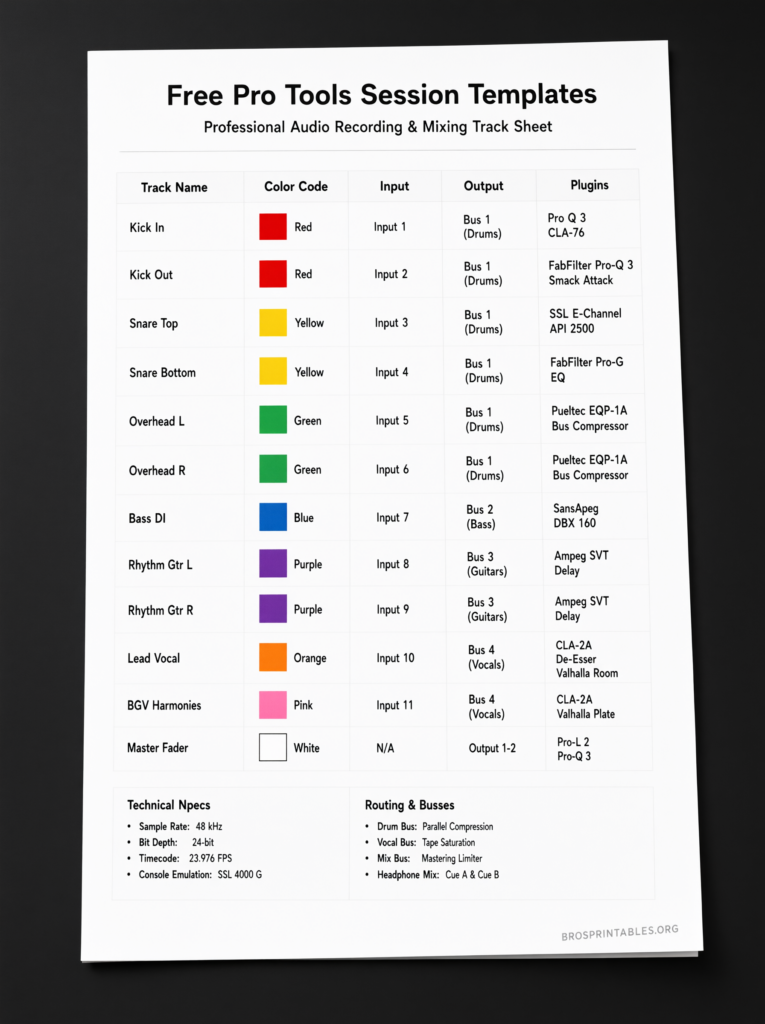
Starting every session from a blank slate wastes time recreating the same vocal stacks, effect sends, group buses, and master chain. A good template gives you:
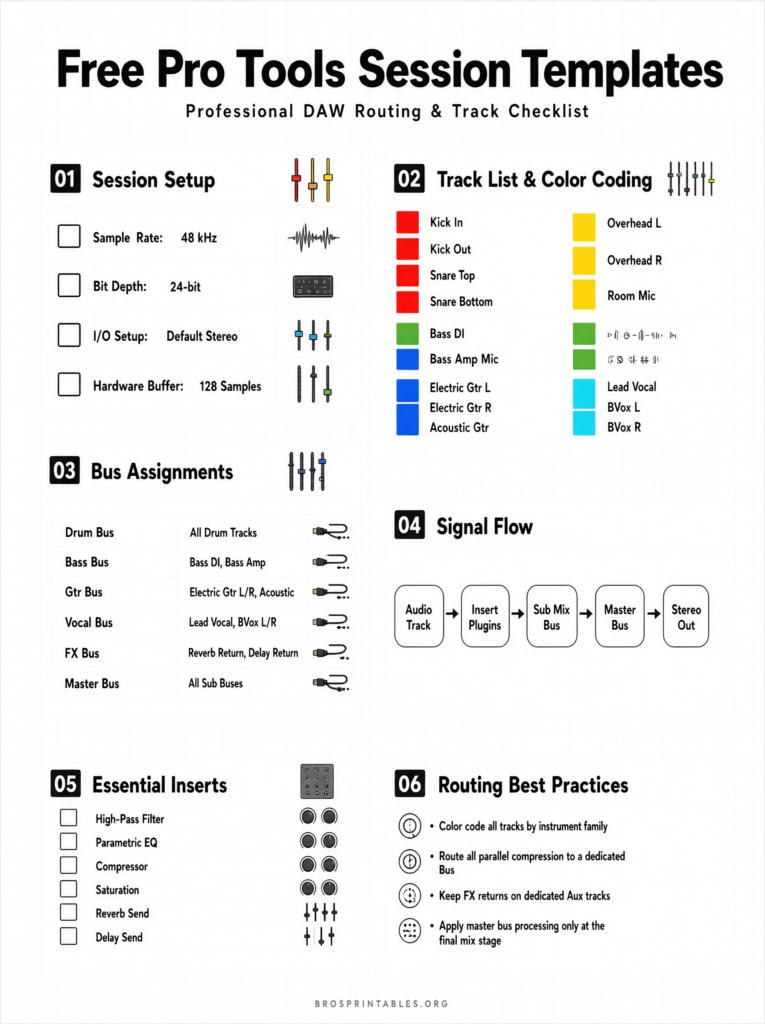
- Consistent track naming, color-coding, and folder organization.
- Pre-routed auxes for reverb, delay, and parallel processing.
- Placeholder tracks for leads, doubles, ad-libs, instruments, or stems.
- Ready I/O and monitoring paths that match common interfaces.
- A professional starting point that speeds handoffs to mixers or collaborators.
Templates improve workflow consistency across songs or projects and reduce the chance of overwriting good takes or forgetting routing. They work especially well for vocal-heavy genres, songwriting, and TV/post audio.
Built-In Templates in Pro Tools
Avid includes factory session templates accessible from the Dashboard (File > Create New or the startup window). Enable “Create From Template,” choose a Template Group (such as Record + Mix, Music, or post-oriented categories), and select one suited to your work. These cover common music production, podcasting, and post-production starting points.
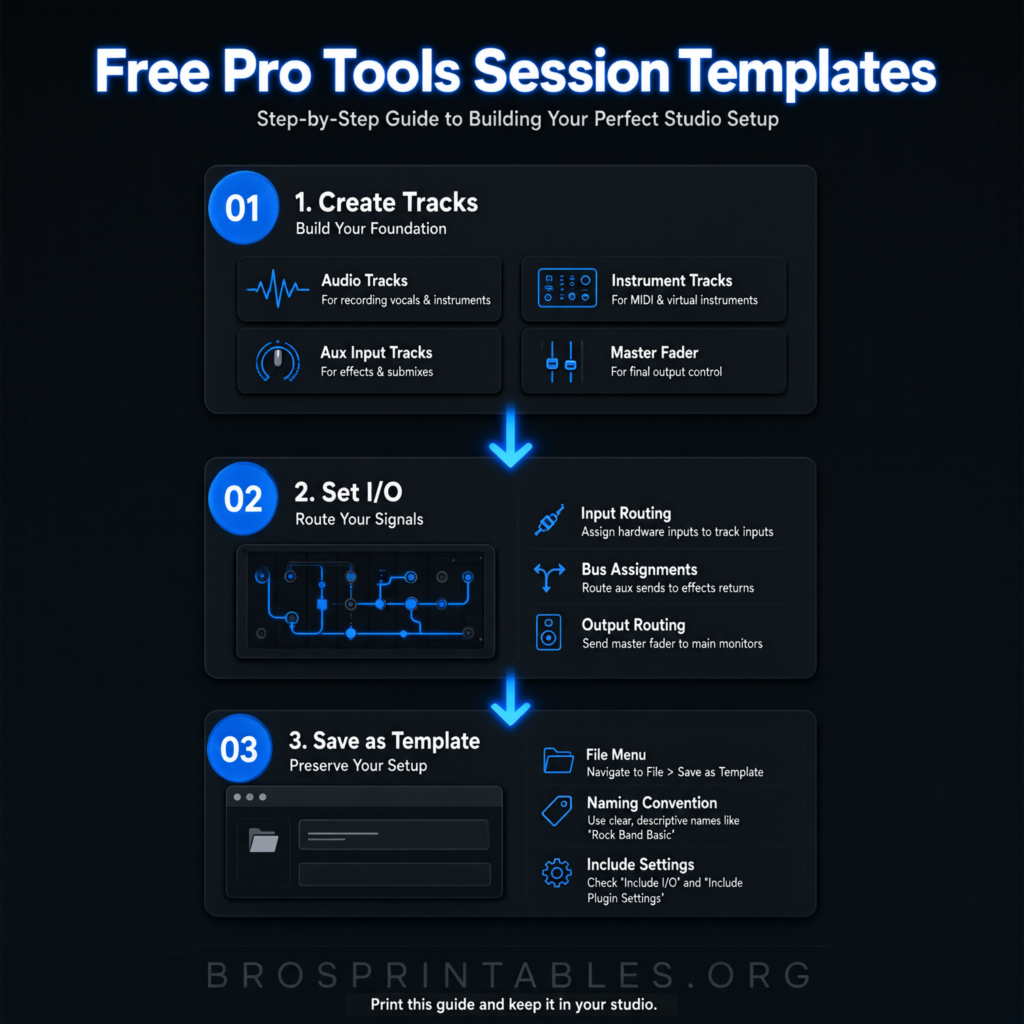
You can also create and save your own. Set up tracks, plugins (stock ones keep it universal), routing, and markers the way you like, then go to File > Save As Template. Choose a category or location so it appears in the Dashboard for future sessions. Full steps are in Avid’s official guide: How to Create Templates in Pro Tools.
Pro Tools Intro (the free tier) and paid versions support templates, though track counts and features vary by edition.
Legitimate Free Downloadable Templates
Here are currently available, trusted free options focused on practical use. These prioritize stock or widely compatible setups so they open cleanly for most users.
- Vocal/recording-focused template with beat track, dedicated recording track, holding tracks, doubles/ad-libs groups, stock-plugin sends (reverb/delay/chorus), and master fader. Designed for home vocal sessions and used on real client work. Details and download: Free Pro Tools Session Template.
- Updated 5.1 surround + stereo post-production mix template for TV/documentary-style work. Includes extensive bussing, submasters, print paths, dipping for narration, upmix options, stems, and monitoring. Stripped of third-party plugins for broad compatibility. Download available on the page: Free Pro Tools 5.1 And Stereo Post Production Mix Template.
- Recording and mixing template with pre-routed tracks, aux/bus setup, and song structure for general music production (Pro Tools 10 or later). Check the free packs collection for current availability: Stephen Allen Music Free Packs (includes Pro Tools template).
These sources are established in the audio community. Downloads are typically zip files containing the .ptx session (and sometimes supporting folders). Extract everything together, open the session in Pro Tools, assign your audio interface inputs/outputs, and save a new copy under your project name to preserve the original template.
Free Pro Tools Session Templates
How to Install and Customize a Free Template?
- Download and unzip the file. Keep the session and any media folders together.
- In Pro Tools, use File > Open Session (or drag the .ptx onto the app).
- Assign hardware I/O to match your interface. Mute or deactivate unused paths if needed.
- Replace or add your preferred stock or third-party plugins. Inactive plugins (missing on your system) usually leave routing intact.
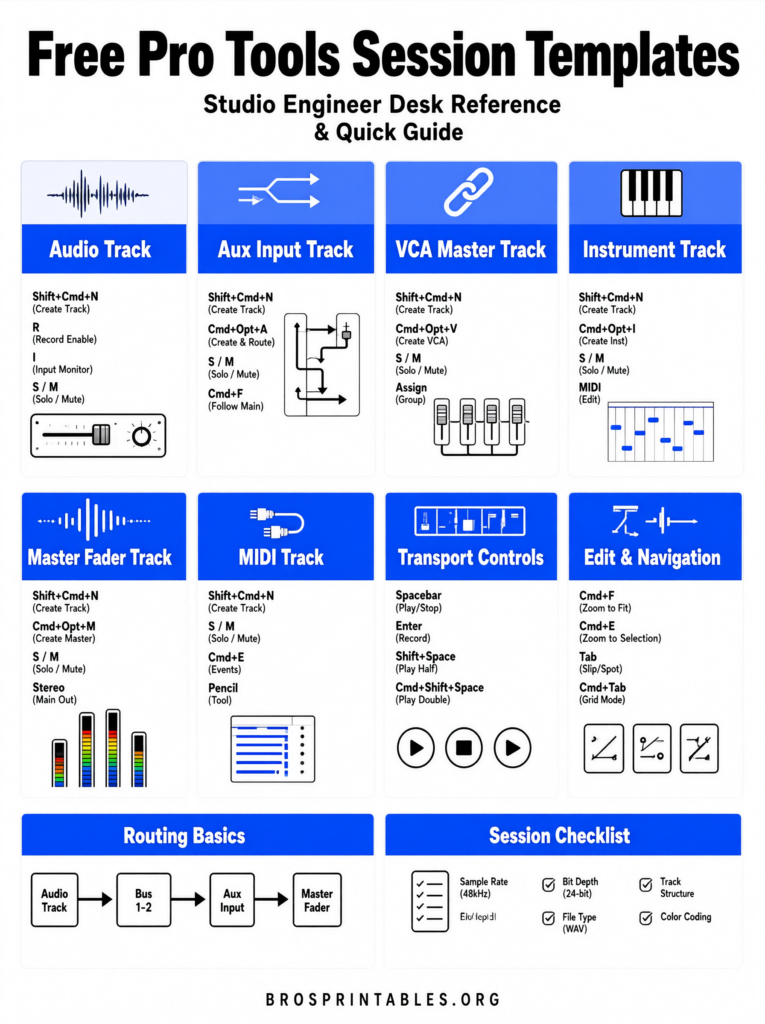
- Color-code, rename, and add markers or groups as desired.
- File > Save As (or Save As Template) for reuse.
Test levels and routing with a short recording before a full session. For lower-tier Pro Tools versions, watch track-count limits.
Tips for Best Results with Free Templates
Keep templates lean—stock plugins maximize compatibility. Use one dedicated recording track and move keepers to holding tracks to avoid overwriting. Lower instrumental/reference tracks with clip gain rather than faders to preserve headroom. Create genre- or project-specific variants (hip-hop vocal stack, band tracking, podcast, post stems) from a solid base. Regularly update your personal templates as your workflow evolves.
FAQ
Are free Pro Tools session templates really free with no catch?
Reputable ones from the sources above are genuinely free (sometimes requiring a simple email for delivery). Paid upgrades or related products may be offered separately, but the free files stand alone.
Will a free template work with Pro Tools Intro or older versions?
Many do, especially those using only stock plugins and modest track counts. Check the creator’s notes for minimum version (often Pro Tools 10+). Newer features may not transfer perfectly.
Can I use these for commercial projects?
Yes for personal and commercial use in almost all cases—the templates are workflow tools, not sample content with usage restrictions. Confirm any specific license notes on the download page.
What if plugins are missing when I open the template?
Pro Tools opens the session with those inserts inactive. Routing and structure remain. Swap in your own equivalent stock or third-party plugins.
Where else can I learn more?
Start with Avid’s official template creation guide linked above and explore the Dashboard’s built-in options. Community sites like Production Expert regularly share updated free resources.
Using free Pro Tools session templates is one of the highest-leverage habits for faster, cleaner sessions. Download one that matches your main workflow, customize it once, and reuse it on every project. Your future self (and any collaborators) will thank you.