Free Reseller Spreadsheet Template – A free reseller spreadsheet template helps US sellers track inventory, costs, fees, shipping, and true profit when flipping items on eBay, Poshmark, Mercari, Depop, Facebook Marketplace, StockX, or similar platforms. Whether you source from thrift stores, garage sales, liquidation, or retail, a simple spreadsheet keeps records organized without paid software.
This guide explains what belongs in a solid free reseller spreadsheet template, how to use one effectively, and where to get legitimate free downloads that work in Excel or Google Sheets. No invented claims—only verified free resources.
Why Resellers Need a Spreadsheet Template?
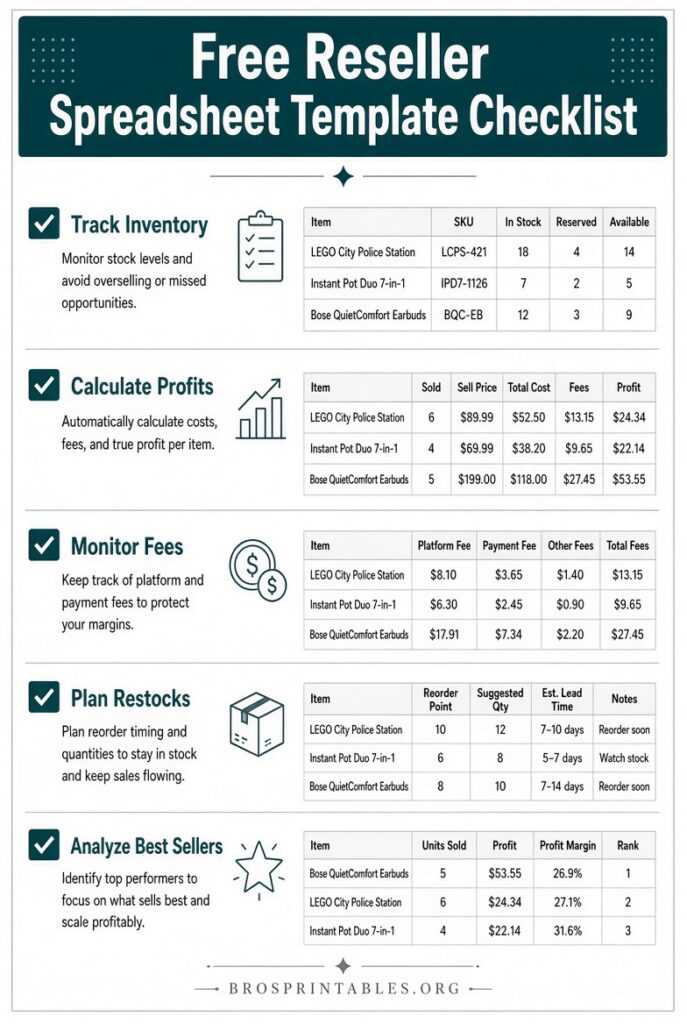
Reselling generates many small transactions. Without tracking, it is easy to lose money on fees, shipping, and slow-moving stock. A free reseller spreadsheet template gives you:
- One place for purchase cost (COGS), listing details, and sale outcomes
- Automatic or simple formulas for net profit and ROI
- A clear view of what is listed, sold, or still sitting
- Records useful for taxes and business decisions
Most part-time or beginning US resellers start with a spreadsheet. It stays free, customizable, and works offline (Excel) or across devices (Google Sheets).
What to Include in a Free Reseller Spreadsheet Template?
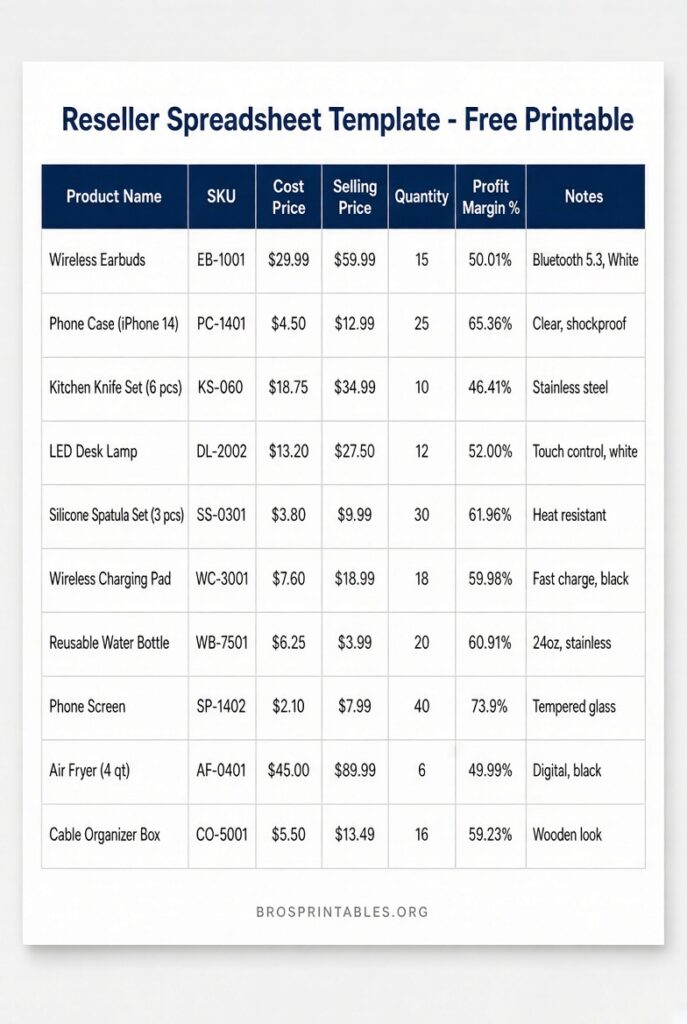
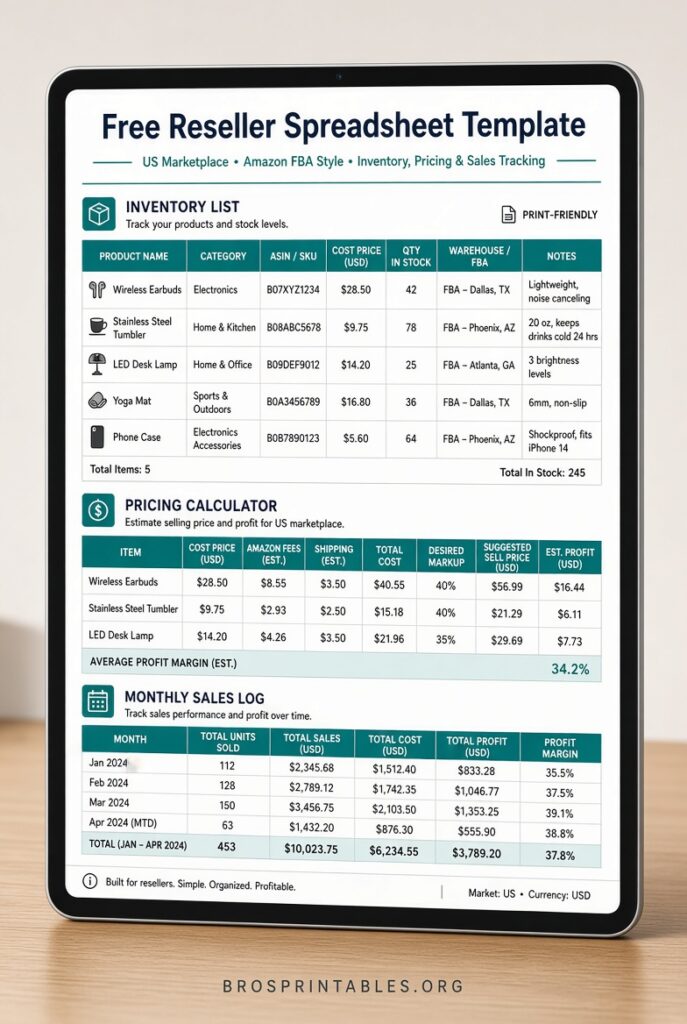
A useful template tracks each item (ideally one row per physical unit) with these core fields:
- Item ID or SKU, name/description, brand, size/condition, category
- Purchase date, purchase price, source
- Platform(s) listed, listing date, list price, status (Unlisted / Listed / Sold)
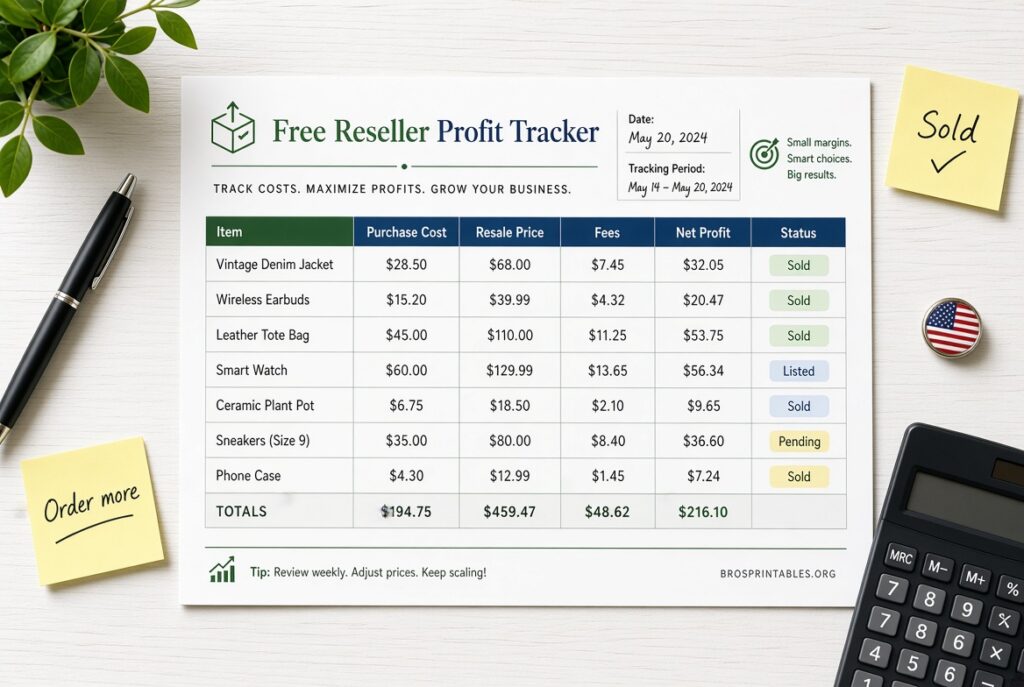
- Sale date, sale price, platform fees, shipping cost (your cost), packaging/supplies
- Net profit and ROI (calculated)
- Storage location and notes
Profit should only calculate on completed sales. Unsold asking prices should not inflate results. US marketplace fees change, so update formulas with current rates from each platform when possible.
Where to Get a Free Reseller Spreadsheet Template?
Here are verified free options with direct access (no email required where noted). Limit use to trusted sources and download only from the official pages.
- ResellAIO free CSV template — Ready-to-use CSV for inventory, sales, fees, and profit. Works in Google Sheets, Excel, Numbers, or LibreOffice. Includes example rows and clear instructions for adding Net Profit (
=IF(I2="","",I2-F2-K2-L2)) and ROI formulas plus US fee guidance for eBay, StockX, Grailed, and Depop.
Download the free reseller spreadsheet template (CSV) (direct file also available on the page). - FlipFinds free Excel inventory template — Excel file with 100 prepared rows, status dropdown, and formulas that calculate actual profit and ROI only for sold items. Tracks costs, shipping, supplies, fees, and keeps unrealized estimates out of profit. No signup.
Download the free Excel inventory template. - SpreadsheetPoint free Google Sheets templates — Three ready-to-copy templates: one focused on multi-platform inventory and quantities, one on individual flips and profit per item, and one for buyer/seller/transaction tracking. Click the Access Template links to make your own editable copy.
View and copy the free Google Sheets reseller templates.
These cover Excel and Google Sheets needs for most US resellers. Always open the file in a secure environment and verify formulas match your process.
Free Reseller Spreadsheet Template
How to Set Up and Use Your Template?
- Download or copy the template.
- Add your first few real items so you can test formulas.
- Format currency and date columns. Use data validation dropdowns for Status and Platform to reduce typos.
- Enter purchase details the day you buy. Record sales from actual payouts (not estimates).
- Freeze the header row and protect formula cells.
- Once you have 20–25 rows, add a simple summary or dashboard (SUMIF for sold profit, COUNTIF for sold count, average ROI).
- Reconcile monthly against platform payouts. Never delete sold rows—filter them instead for tax and performance history.
Keep one consistent currency (USD) and unique item IDs. Back up Excel files regularly; Google Sheets handles versioning automatically.
Tips for Accurate Tracking
- Log fees and shipping from the actual order details.
- Track capital tied up in unsold inventory.
- Review ROI by brand, category, or source quarterly to improve sourcing.
- Update fee formulas when platforms change rates.
- Start simple. Expand columns only when needed.
A well-kept free reseller spreadsheet template is often enough for sellers moving fewer than a few dozen items per month. Higher volume may eventually call for dedicated tools, but the spreadsheet remains the best free starting point.
FAQ
Is a free reseller spreadsheet template enough for taxes?
Yes for many small US sellers. It provides cost basis, sale proceeds, and expenses. Keep supporting records (receipts, payout reports) and consult a tax professional for your situation.
Can I use the same template for eBay, Poshmark, and Mercari?
Yes. Add a Platform column (dropdown recommended) and filter as needed. Adjust fee formulas per marketplace.
Excel or Google Sheets?
Both work. Google Sheets is free, collaborative, and accessible anywhere. Excel is strong for offline use and complex formulas. Many templates support both.
What if fees change?
Update the fee formula or column with current platform rates. Re-check official fee pages periodically.
A free reseller spreadsheet template removes guesswork from inventory and profit tracking. Download one of the verified options above, enter a few items, and start building clear records for your US reselling business.