Hse Dashboard Excel Templates Free – An HSE (Health, Safety, and Environment) dashboard in Excel helps U.S. safety professionals track key metrics in one place. These free templates turn incident logs, leading and lagging indicators, training records, and permit data into clear charts and KPIs. They support faster monthly reporting, trend spotting, and better decisions for OSHA-aligned programs without expensive software.
This resource page explains what an HSE dashboard covers, how free Excel versions work, and where to download legitimate templates. All recommended sources offer free downloads or free editions. Always verify the current terms on the provider’s site before downloading.
What Is an HSE Dashboard in Excel?
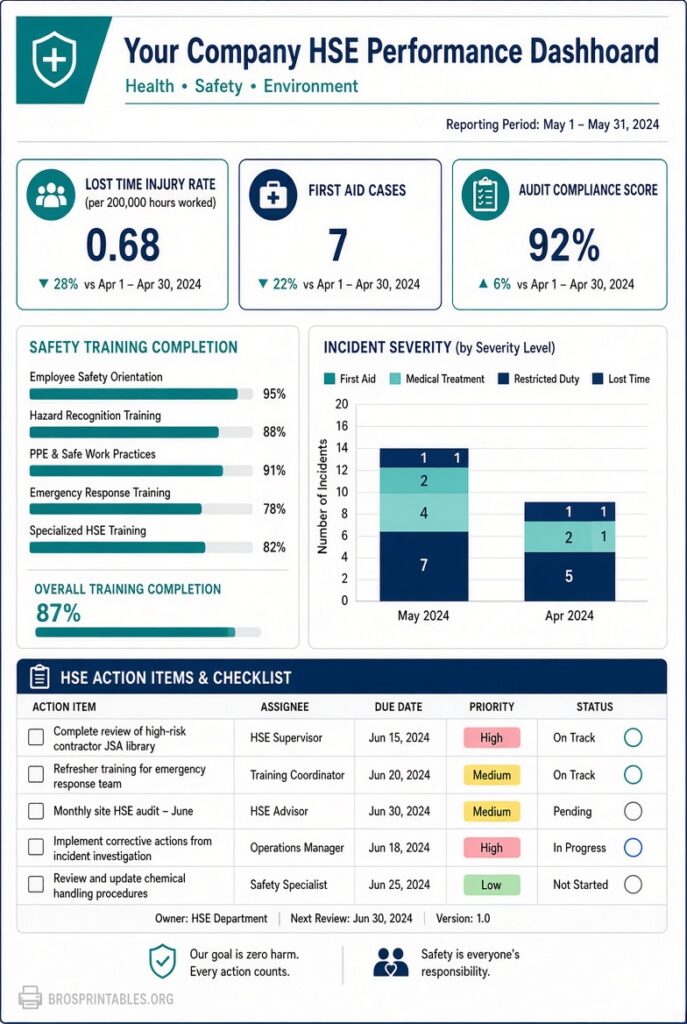
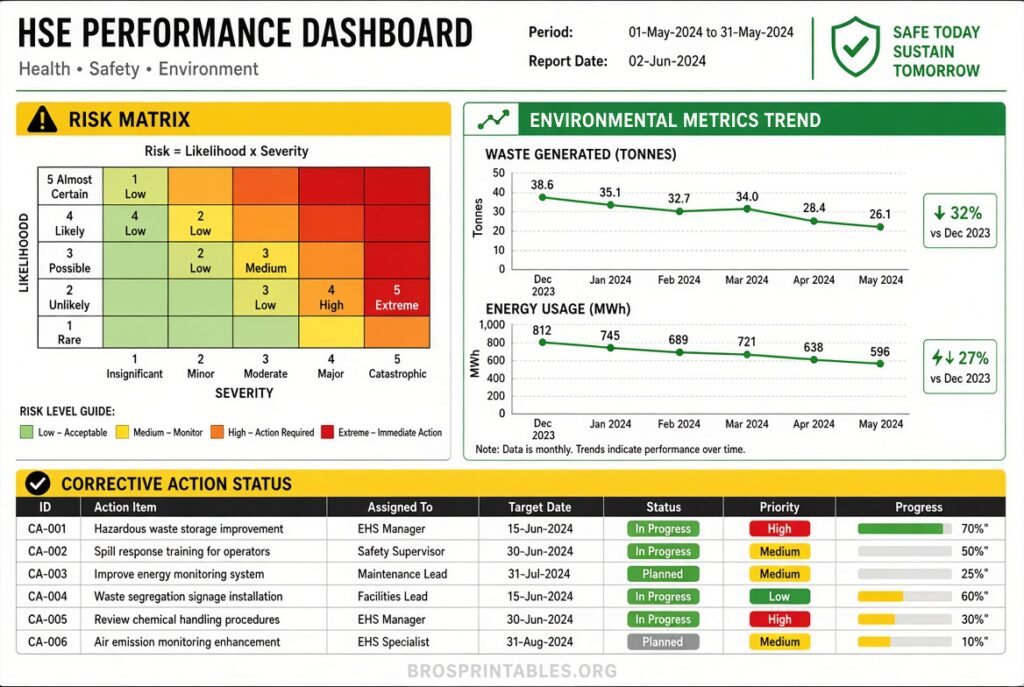
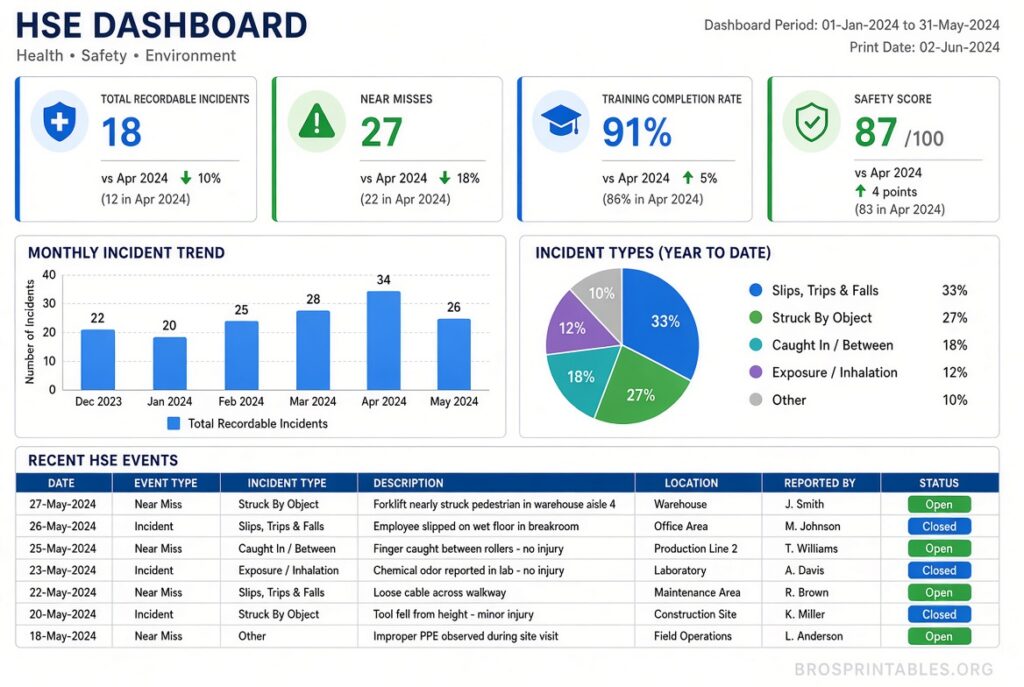
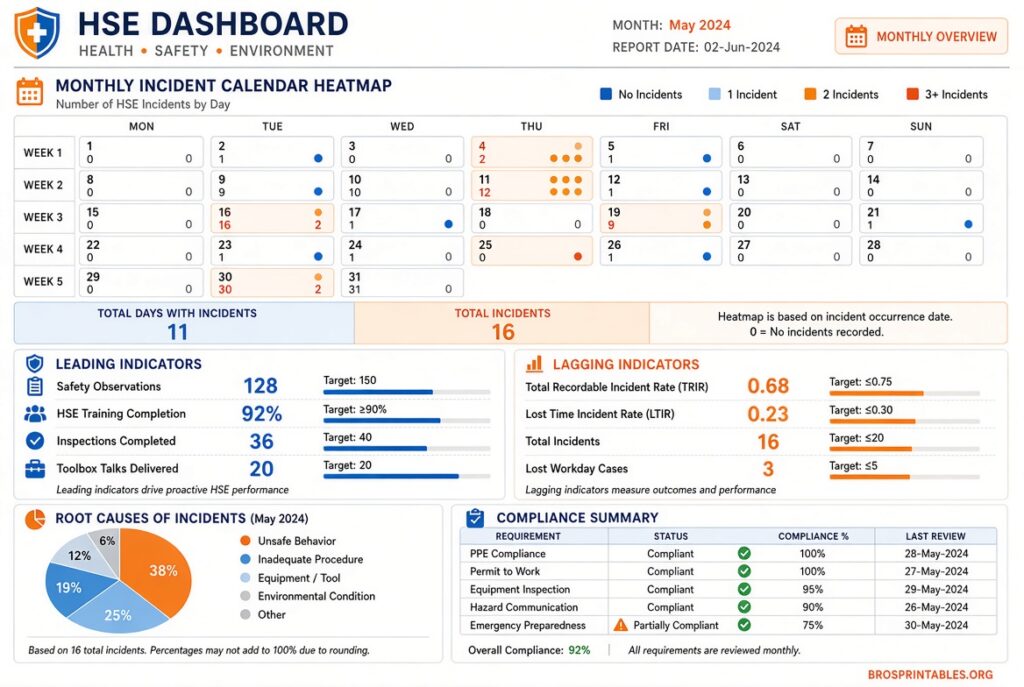
An HSE dashboard (often called an EHS dashboard in the United States) is a single workbook that visualizes safety performance. Typical sheets include:
- Incident and near-miss logs
- Leading indicators (toolbox talks, inspections, training completion, permits)
- Lagging indicators (TRIR, LTIFR, lost-time injuries, severity rates)
- KPI summary cards and charts
- Simple filters by site, month, or department
Excel remains popular because most safety teams already use it. Linked sheets update charts automatically when you enter new data, reducing copy-paste work. Templates are fully editable so you can match your company’s sites, KPIs, and reporting calendar.
Why Free HSE Dashboard Excel Templates Matter?
Free templates give small and mid-size teams a quick start. They help demonstrate due diligence during internal audits or management reviews. Common benefits include:
- Faster preparation of monthly or quarterly safety reports
- Clear visuals for toolbox talks or safety committee meetings
- Easy tracking of both proactive (leading) and reactive (lagging) metrics
- No subscription cost while you test what works for your operation
Note that a template itself does not make an organization OSHA-compliant. It is a tool for organizing and displaying the data your program already collects.
Where to Download Free HSE Dashboard Excel Templates?
Here are current, legitimate sources that offer free Excel templates or free editions. Limit downloads to trusted sites and scan files with antivirus software.
HSEDocsPro Free HSE Dashboard Workbook
This free workbook includes an incident log, leading and lagging indicator sheets, KPI tracking, and a permits register. Charts update from the data you enter. No sign-up is required for the free version.
Download the free template: HSEDocsPro HSE Dashboard in Excel
A second free layout focused on EHS reporting KPIs is also available on the same site.
SHEQXEL 20+ Free Health and Safety Dashboard Templates
SHEQXEL provides a collection of free Excel (and some Power BI) templates covering KPI progress charts, workplace inspections, BBS participation, monitoring KPIs, and more. Each template is designed for specific safety reporting needs and includes tutorial guidance.
Browse and download free templates: SHEQXEL Free Health and Safety Dashboards
Eloquens Free EHS Observation Dashboard
This free Excel template focuses on tracking Unsafe Acts (UA) and Unsafe Conditions (UC). It features pie charts for open vs. closed items and monthly trend bars, making it useful for field observation programs and ISO 45001-style monitoring.
Download the free template: Eloquens Free EHS Observation Dashboard
Hse Dashboard Excel Templates Free
Additional Free Options
- SlideTeam’s HSE dashboard builder lets you customize a layout and download an Excel file (PDF is free with a free account; Excel is available after selecting the template).
- Some general OSHA-related Excel resources (such as Form 300 logs with rate formulas) appear on safety template libraries, though they are not full multi-sheet dashboards.
Always confirm the download is still free and free of registration requirements at the time you visit. Paid upgrades exist on several of these sites if you later need more advanced features or offline web-app versions.
How to Set Up and Use a Free HSE Dashboard Template?
- Download the .xlsx file and open it in Microsoft Excel (2016 or later recommended).
- Replace sample site names, departments, and date ranges with your own.
- Enter historical or current data into the log sheets (incidents, hours worked, training completed, inspections, etc.).
- Check that charts and KPI cards update automatically.
- Protect formula cells if multiple people will use the file.
- Save a master copy and create monthly or site-specific versions as needed.
Start with 5–7 core KPIs so the dashboard stays readable. Common U.S. metrics include Total Recordable Incident Rate (TRIR), Lost Time Injury Frequency Rate (LTIFR), near-miss reporting rate, training completion percentage, and audit/inspection closure rate.
Tips for Getting the Most from Free Templates
- Align metrics with your OSHA recordkeeping requirements and any internal or client KPIs.
- Use consistent definitions (for example, what counts as a recordable incident).
- Combine the dashboard with simple data-entry discipline—assign one person to update weekly or monthly.
- Export charts to PowerPoint or PDF for management presentations.
- Review leading indicators regularly; they help prevent incidents rather than only measuring them after they occur.
If your organization grows or needs multi-user access, mobile entry, or automated calculations, consider moving from a free Excel template to a dedicated EHS software platform later.
Frequently Asked Questions
Are these HSE dashboard Excel templates really free?
Yes. The sources listed above state that specific templates or free editions can be downloaded at no cost. Some sites also offer paid versions with extra features. Check the page at download time for any changes.
Do I need Microsoft Excel or will Google Sheets work?
Most templates are built for Microsoft Excel. Some open in Google Sheets with limited chart or formula support. Test a copy first.
Can I customize the templates for multiple sites or projects?
Yes. Free templates are editable. You can add columns, change site names, adjust formulas, and duplicate sheets for different locations.
Will these templates help with OSHA compliance?
They help organize and display the data you collect under OSHA rules. They do not replace required forms (such as OSHA 300/300A/301) or written programs. Use them alongside official OSHA resources.
What if I need a more advanced dashboard?
Start with a free template to define your KPIs and reporting needs. Many providers offer paid Excel or offline tools if you later require automated rates, multi-user access, or additional modules such as permits or training matrices.
Free HSE dashboard Excel templates give U.S. safety teams a practical, low-cost way to visualize performance and communicate results. Download one of the resources above, enter your data, and begin turning numbers into clear safety insights.