Sqdc Template Excel Free – Looking for a free SQDC template in Excel? This guide explains what an SQDC board is, why U.S. manufacturing and operations teams use it, and where to download legitimate free Excel versions you can customize and print today.
What Is an SQDC Template?
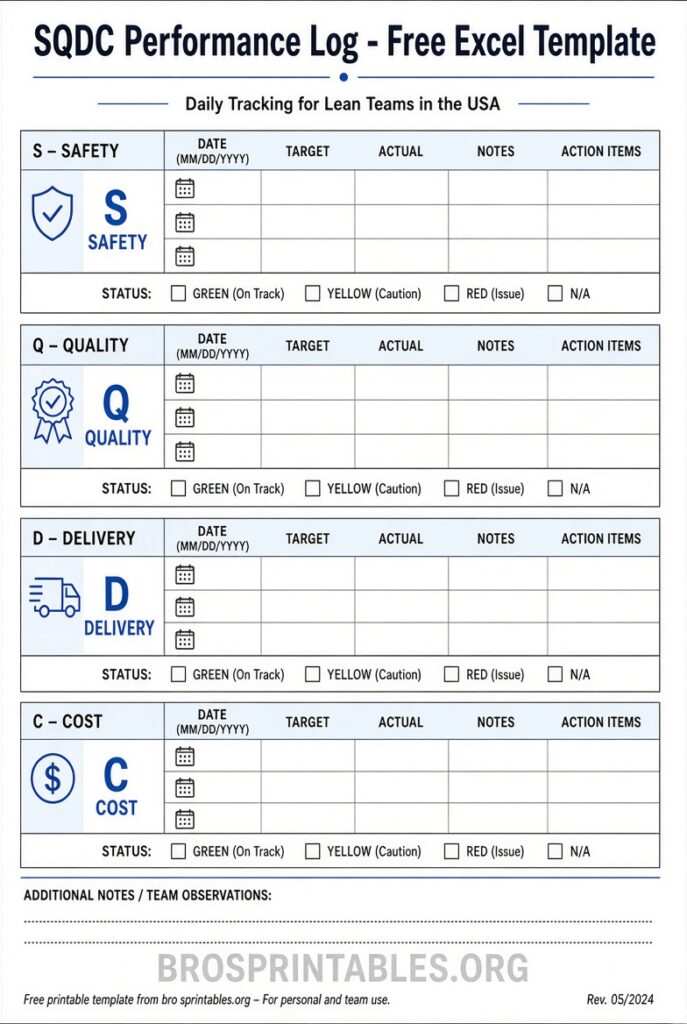
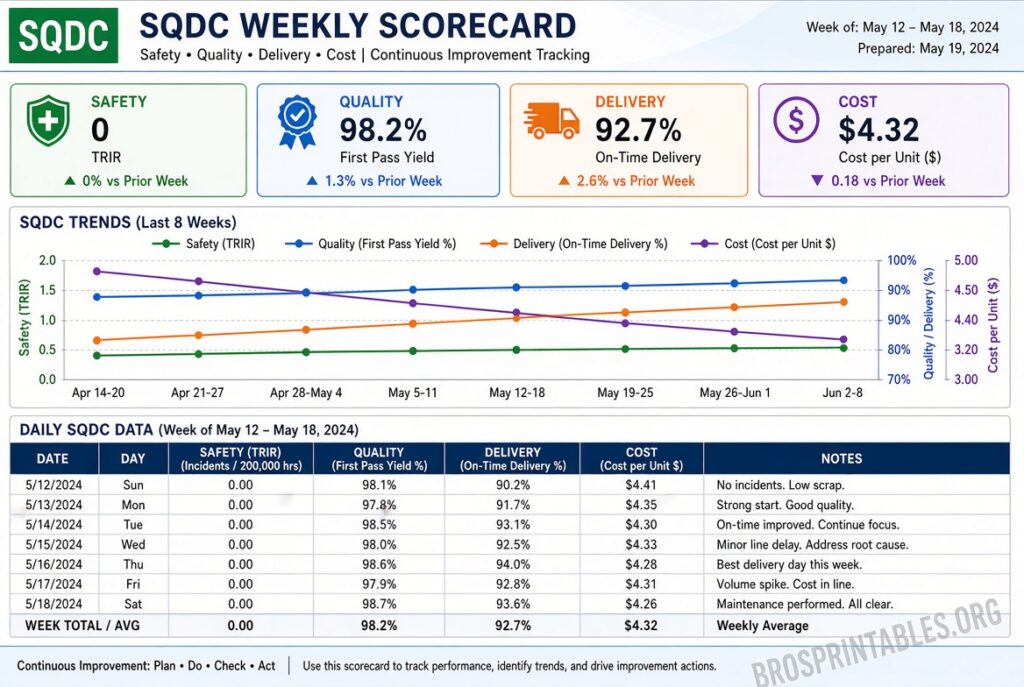
SQDC stands for Safety, Quality, Delivery, and Cost. It is a simple visual management tool used in lean manufacturing and daily management systems. Teams track key performance indicators (KPIs) for each pillar every day or shift.
The classic format shows columns or sections for:
- Safety — incidents, near misses, PPE compliance
- Quality — defects, first-pass yield, scrap
- Delivery — on-time performance, schedule adherence
- Cost — overtime, material usage, waste
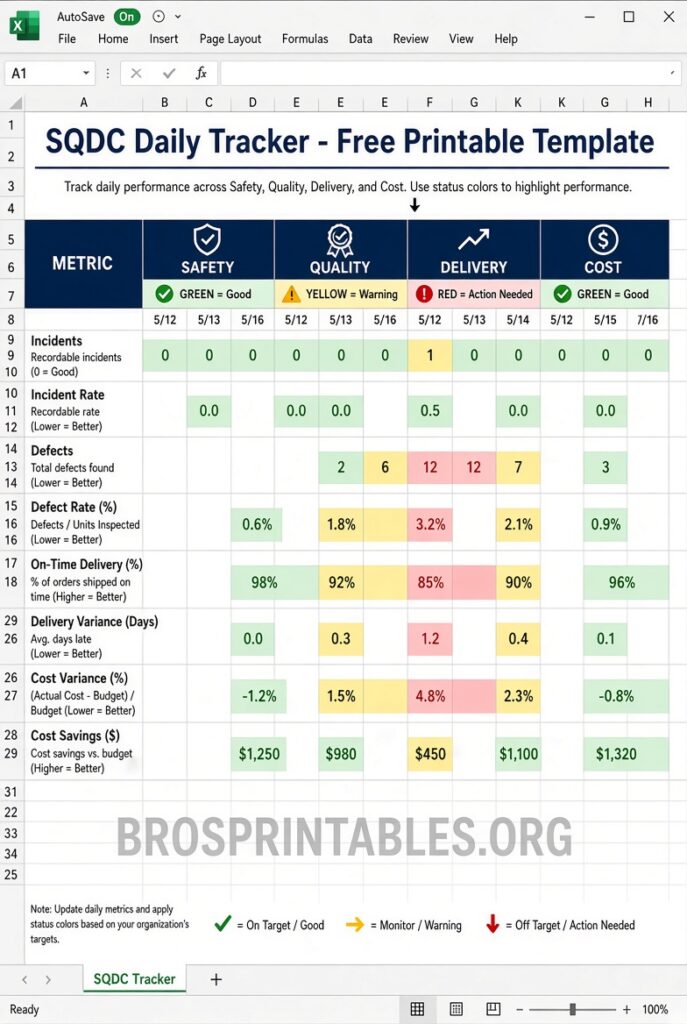
Many plants expand it to SQCDP (adding People or Morale) or SQDCM. The Excel version lets teams log daily results, color-code status (green/red), track trends, and prepare for short stand-up huddles.
An SQDC Excel template helps frontline supervisors and continuous-improvement teams build discipline before moving to digital boards or software.
Why Use a Free SQDC Excel Template?
U.S. factories, warehouses, and process teams rely on SQDC boards for quick visual status during tier meetings and Gemba walks. A ready-made Excel file saves setup time. You can:
- Enter actual vs. target numbers
- Color cells green or red for at-a-glance status
- Add simple charts or action logs
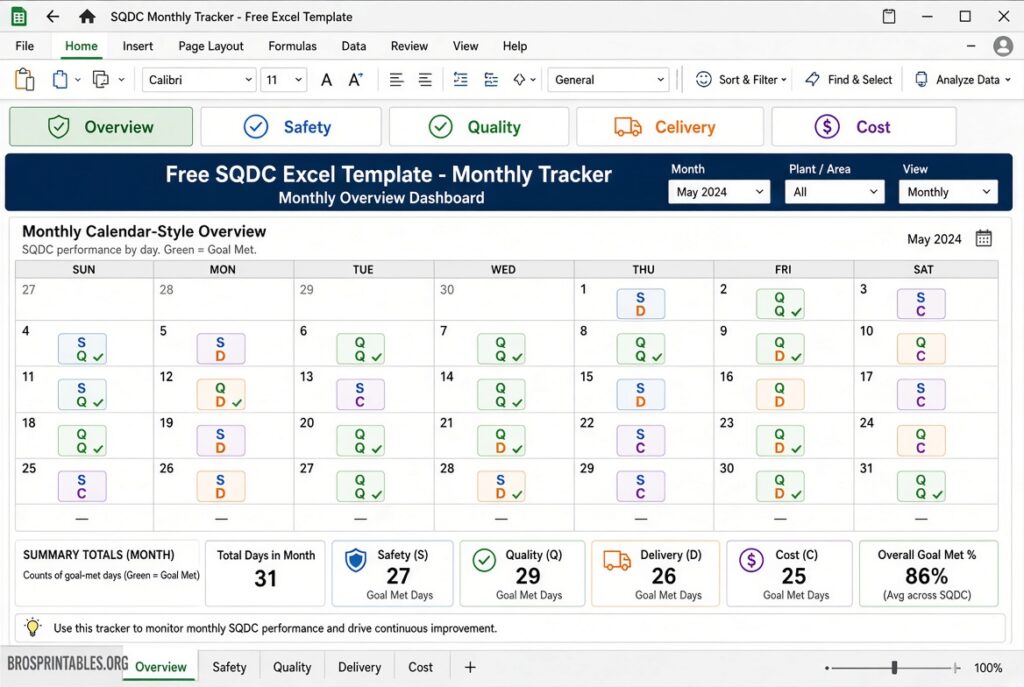
- Print monthly sheets for physical boards
- Archive data for trend reviews
It works well for one team or pilot area. Once the process is stable, many operations later switch to digital dashboards.
Where to Download Free SQDC Excel Templates?
Here are current, legitimate sources that offer free Excel downloads (email or short form may be required):
- Lean Data Point – Free SQDC Excel Template
Ready-to-use KPI tracker focused on Safety, Quality, Delivery, and Cost. Includes guidance for daily management. Ideal for teams starting structured tracking.
Download free SQDC template - LeanSuite – Free SQCDP Tier Board Excel Template
Month-view tracker with day-by-day status for Safety, Quality, Cost, Delivery, and People, plus an actions log. Printable PDF also available. Excellent for tiered meetings.
Download free SQCDP Excel template - LeanSuite Free Lean Templates Library
Broad collection of free Excel and PDF lean tools (daily management, audits, problem-solving). Browse for related shift-handover or leader-standard-work sheets that complement SQDC.
Browse free lean templates
These resources are free to download and edit for internal use. Avoid random file-sharing sites that may contain outdated or unsafe files.
Sqdc Template Excel Free
How to Use Your SQDC Excel Template?
- Download and open the file in Microsoft Excel or a compatible program.
- Customize headers, metrics, and targets to match your process (e.g., recordable incidents for Safety, on-time delivery %).
- Enter daily or shift data. Use conditional formatting or manual color coding for status.
- Review during a short daily huddle (10–15 minutes). Discuss reds, assign actions, and update the board.
- Print monthly sheets for physical visual boards if needed, or keep the file digital.
- Archive completed months for trend analysis.
Keep the template simple at first. Focus on visibility and accountability rather than complex formulas.
Tips for Effective SQDC Boards in U.S. Operations
- Align metrics with site goals and OSHA or customer requirements.
- Update the board before every huddle so data is current.
- Escalate unresolved issues according to your tiered meeting structure.
- Review trends weekly or monthly to drive problem-solving (5 Whys, A3, etc.).
- Involve the team in choosing the metrics so ownership stays high.
An Excel SQDC template is a practical starting point for daily operational control. Once your team builds the habit, you can evaluate digital options for multi-team or real-time needs.
FAQ
Is the SQDC Excel template really free?
Yes. The sources listed above provide free downloads. A short form or email is sometimes required to access the file.
Can I customize the free SQDC template?
Absolutely. Edit metrics, add columns, change colors, or expand to SQCDP as needed for your process.
Do I need special software?
Microsoft Excel or free alternatives (Google Sheets can often open .xlsx files) work fine.
Is SQDC the same as QDIP or SQCDP?
They are closely related. SQDC focuses on four pillars; QDIP and SQCDP add Inventory/Productivity or People/Morale. Templates often support all variations.
When should I move beyond Excel?
When you manage multiple teams, need automated data feeds, or want built-in escalation and dashboards, consider dedicated lean daily-management software.
Download a free SQDC Excel template today, set clear targets, and start your next daily huddle with better visibility. Consistent use turns simple tracking into stronger operational performance.